Grandstream HT802V2
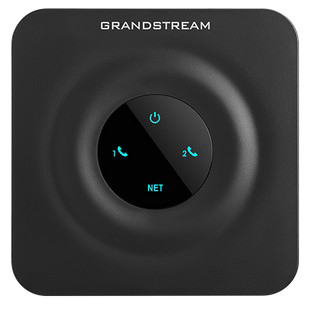
Normal Status Lights
Light
|
STATUS
|
Description & Suggested Action
|
| POWER | Solid Blue | Powered On |
Flashing Blue | Booting up | | NET | Solid Blue | Connected to a Network |
Flashing Blue | Data sending/receiving | | PHONE 1 & 2 | Unlit | Unregistered |
Solid Blue | Registered and available | Flashing Blue | Flashing every second - Off-Hook/Busy | Slow Flashing Blue | Slow Flashing - FXS LED's indicates a voicemail |
Light
|
STATUS
|
Description & Suggested Action
|
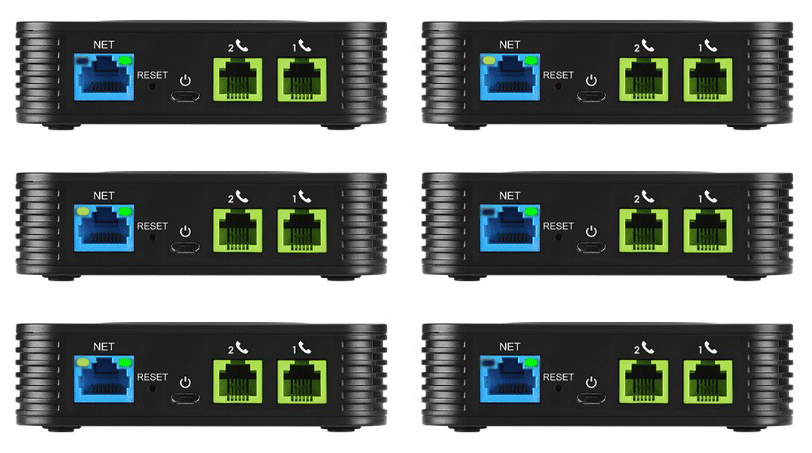
| PHONE 1 & 2 | RJ-11 | Connects analog phones/fax machines to the phone adapter using an RJ-11 cable |
| NET | RJ-45 | Connects the phone adapter to your Router or Gateway using RJ-45 Network cable |
| MICRO USB DC POWER | USB | Connects the phone adapter to PSU (5V-1A) |
| RESET | RESET BUTTON | Factory Reset. Press for 7 seconds to reset to factory default |
For more information or to have your device listed please contact
Infotel Systems
The Story Behind "Status Lights"

 StatusLights.com