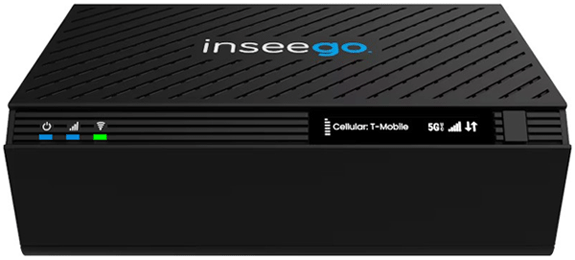
T-Mobile Inseego FX4100
Normal Status Lights
Light
|
STATUS
|
Description & Suggested Action
|
| POWER | Solid Blue | Device is on 5G |
Solid Green | Device is on LTE | Solid Yellow | Software update is available | Flashing Yellow | Software update is downloading/installing | Solid White | Device on, Ethernet WAN | Flashing White | Device booting up | Solid Red | Device error | Flashing Red | Software update failed | | CELLULAR | Solid Blue | Great signal (5 bars) |
Solid Cyan | Good signal (4 bars0 | Solid Green | Fair signal (3 bars) | Solid Yellow | Poor signal (2 bars) | Flashing White | Searching for signal | Solid Red | Very poor signal (1 bar) | Flashing Red | No signal/No network | | WI-FI | Solid Blue | Wi-Fi on, mesh |
Flashing Blue | Mesh pairing mode | Solid Green | Wi-Fi on, no mesh | Flashing White | Wi-Fi initiating/rebooting | Solid Red | Wi-Fi error | Unlit | Wi-Fi off |
Light
|
STATUS
|
Description & Suggested Action
|
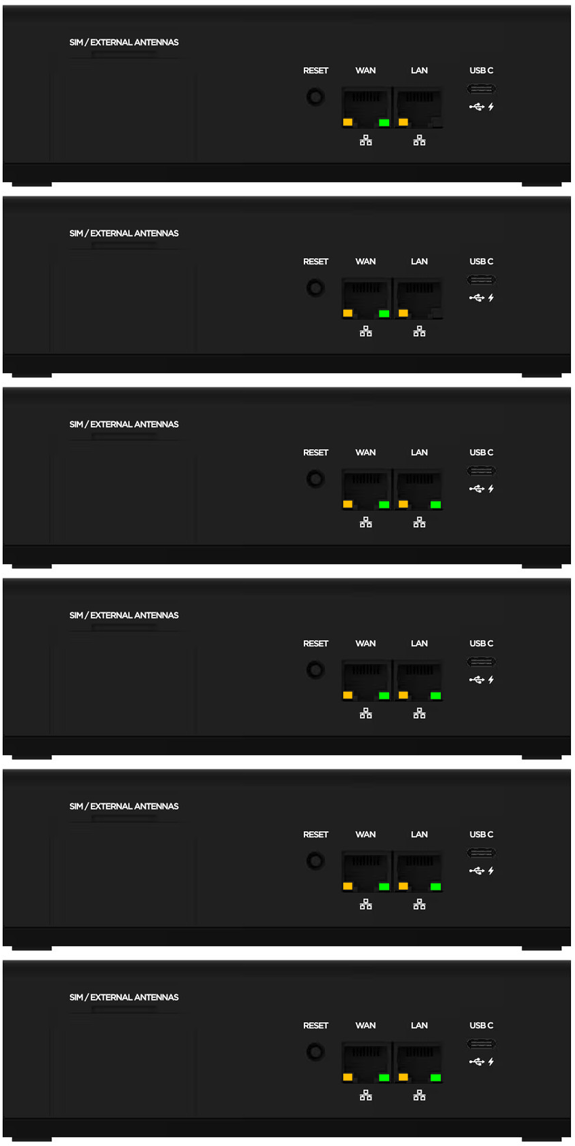
| WAN/LAN | Solid Green | 1000 Mbps |
Flashing Green | Data is being transferred | Unlit | 10/100 Mbps | Solid Amber | Port is being connected but no data is being transferred | Unlit | Port is being disconnected |
For more information or to have your device listed please contact
Infotel Systems
The Story Behind "Status Lights"

 StatusLights.com