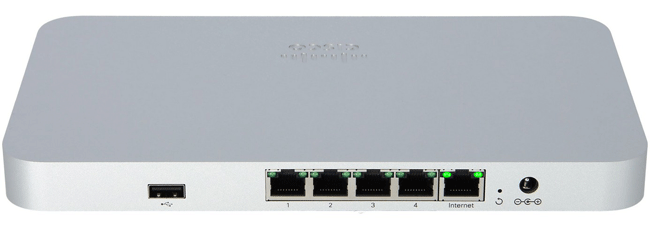
Cisco MX64
Normal Status Lights
If you need to support for any Cisco device please see: Richweb.
Light
|
STATUS
|
Description & Suggested Action
|
| FRONT LED | Solid Orange | Power is on but the appliance is not connected to the Meraki Dashboard |
Rainbow Colors | Attempting to connect to the Meraki Dashboard | Flashing White | Firmware upgrade in progress | Solid White | Fully operational |
If you need to support for any Cisco device please see: Richweb.
Light
|
STATUS
|
Description & Suggested Action
|
| USB | | Status is indicated by the USB LED |
| LAN | Solid Green | Bidirectional connectivity |
| LAN 4 can either be a LAN port or a 2nd Internet port | | WAN/Internet | Solid Green | Bidirectional connectivity |
Unlit | No connectivity | | RESET | | Press for 1 second to delete a downloaded config and reboot |
| Press and hold for more than 10 seconds to fully factory reset | | POWER | | Designed for use only with the unit's power supply |
For more information or to have your device listed please contact
Infotel Systems
The Story Behind "Status Lights"

 StatusLights.com